There can be many reasons an agent needs to update billing. We try to walk them through it if possible, but there are cases where we have to do it for them. Which we CAN do, as long as the agent gives you permission.
Please note, that when you take card information or other sensitive info (like a SSN), use the "Secure Pause" button on your phone. It lasts 20 seconds and you can re-press as needed. 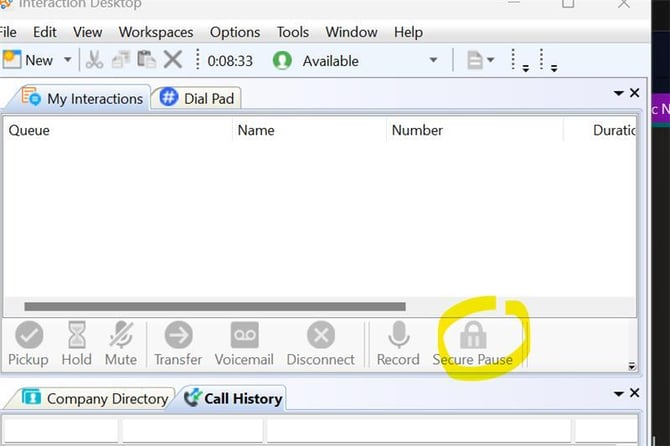
There are two ways to update billing.
If the agent is behind on billing and the account is off due to that, then when attempting to log in, it will prompt you to update billing. This page appears whether the agent accesses it, or we access it via Admin.
The second way is to update it in the Portal itself.
When you or the agent are logged in, go to the upper right hand side of the screen.
Hover over the person in the circle, then click "My Account"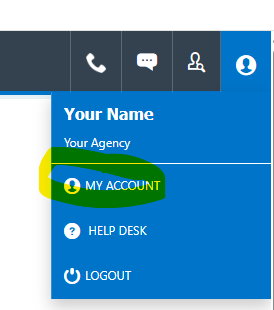
On the next page, click "Billing Information".
This page may take a long time to load, as the Transaction History ASLO Lives here, and needs to load as well. 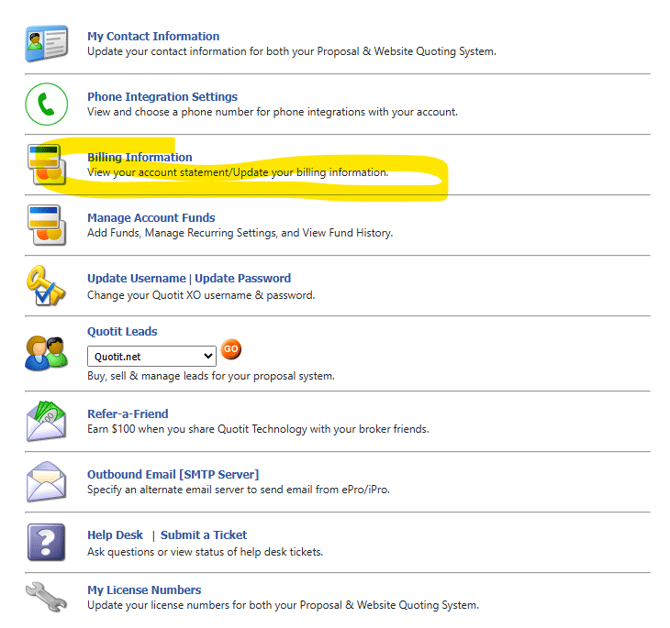
If you do not see this option, please see this article on how to fix it: How to turn on "Billing Information" for Agents
The next looks like this: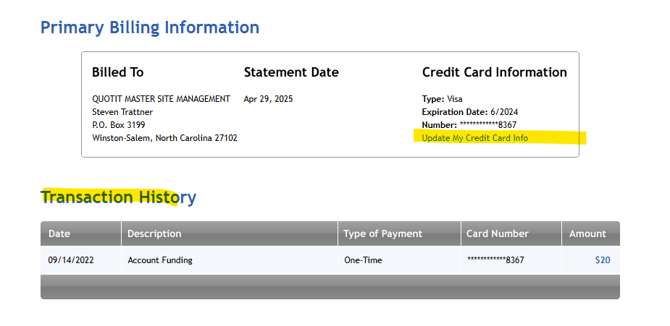
Transaction History lives below. It is helpful for us as reps if we can not see the billing info on an account in Admin for some reason. And for agents if they need a history of billing for some reason.
To update the card click the "Update my Credit Card Info" on the right hand side. We accept Debit or Credit Cards. When updating the billing for ana gent, also make sure to check that the address is also still up to date. 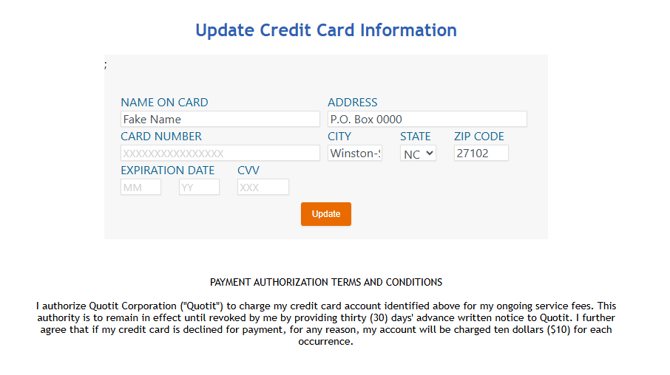
Then just click "Update". And there you go.
If there are any issues updating billing, please reach out to accounting at: ANHTechRetail@NGIC.COM
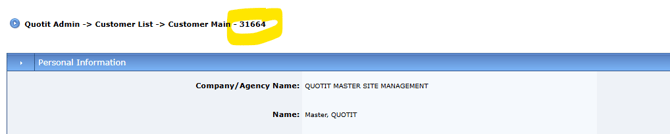
Make sure to provide the Agents name listed in Admin and and Account number, which is not the same as the Broker ID. Account number can be found in the upper left of the Admin page.